Check EBC recommended transfer methods and PESKA registration procedures.
Please refer to the guide below.
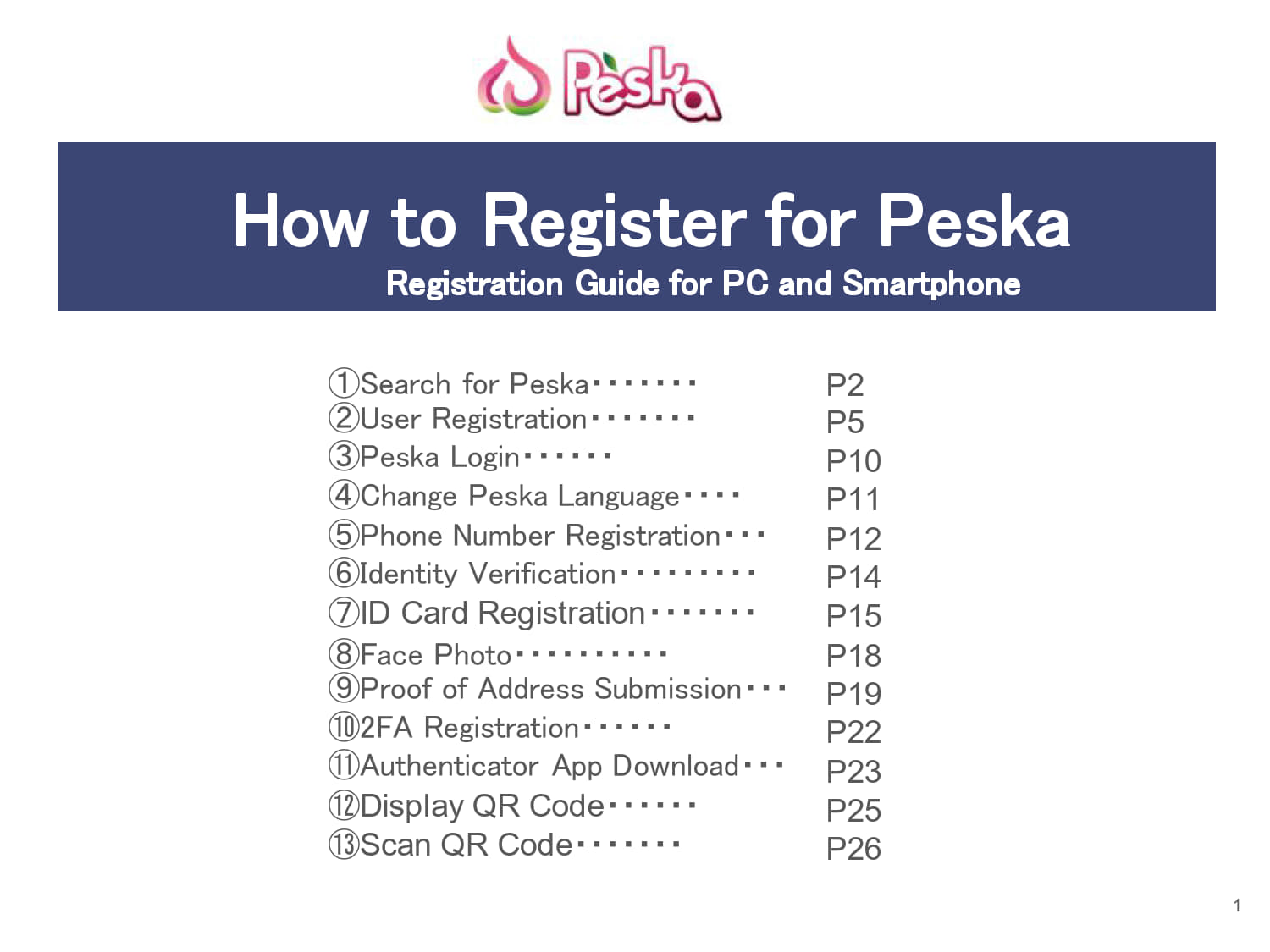
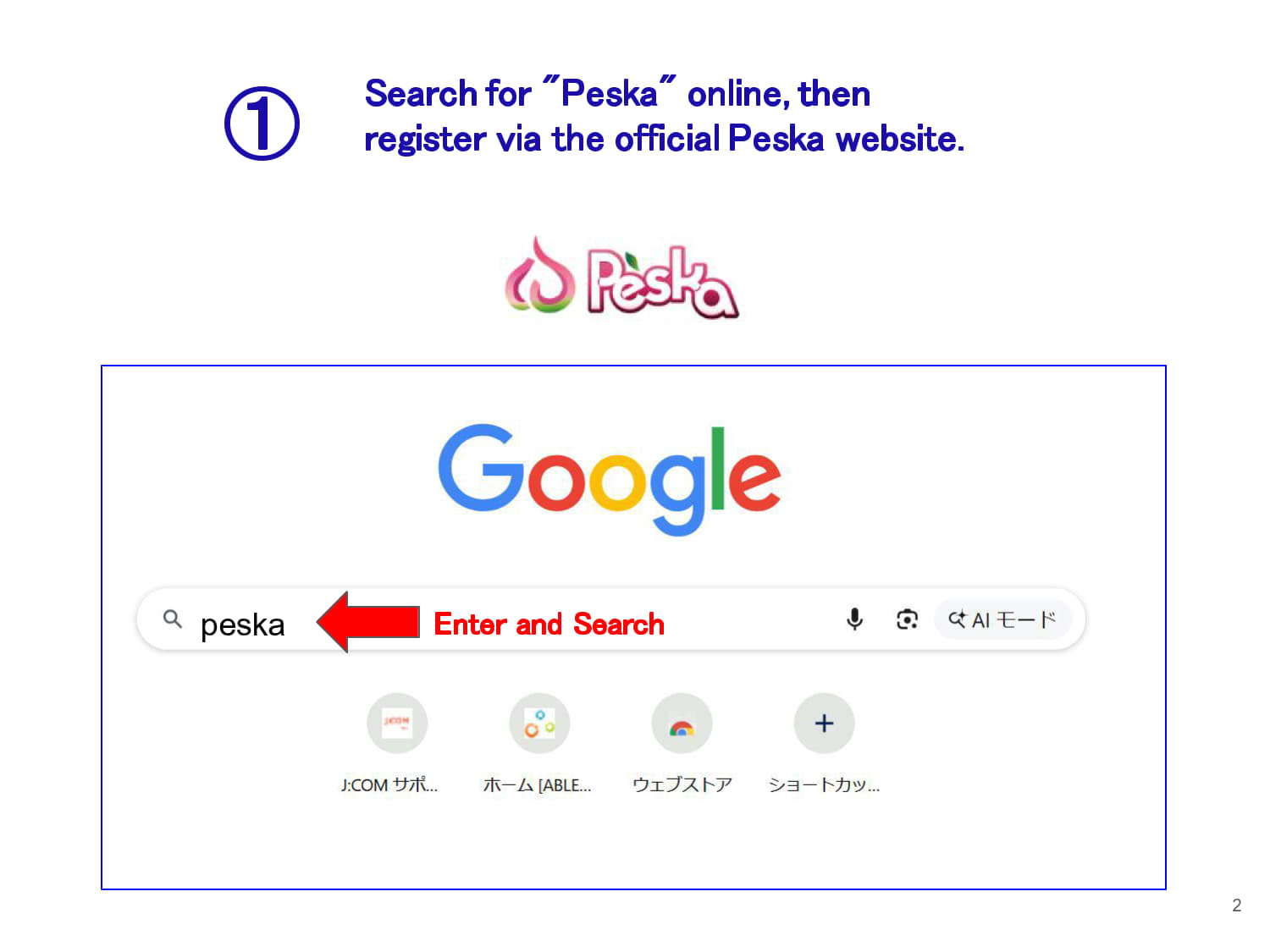
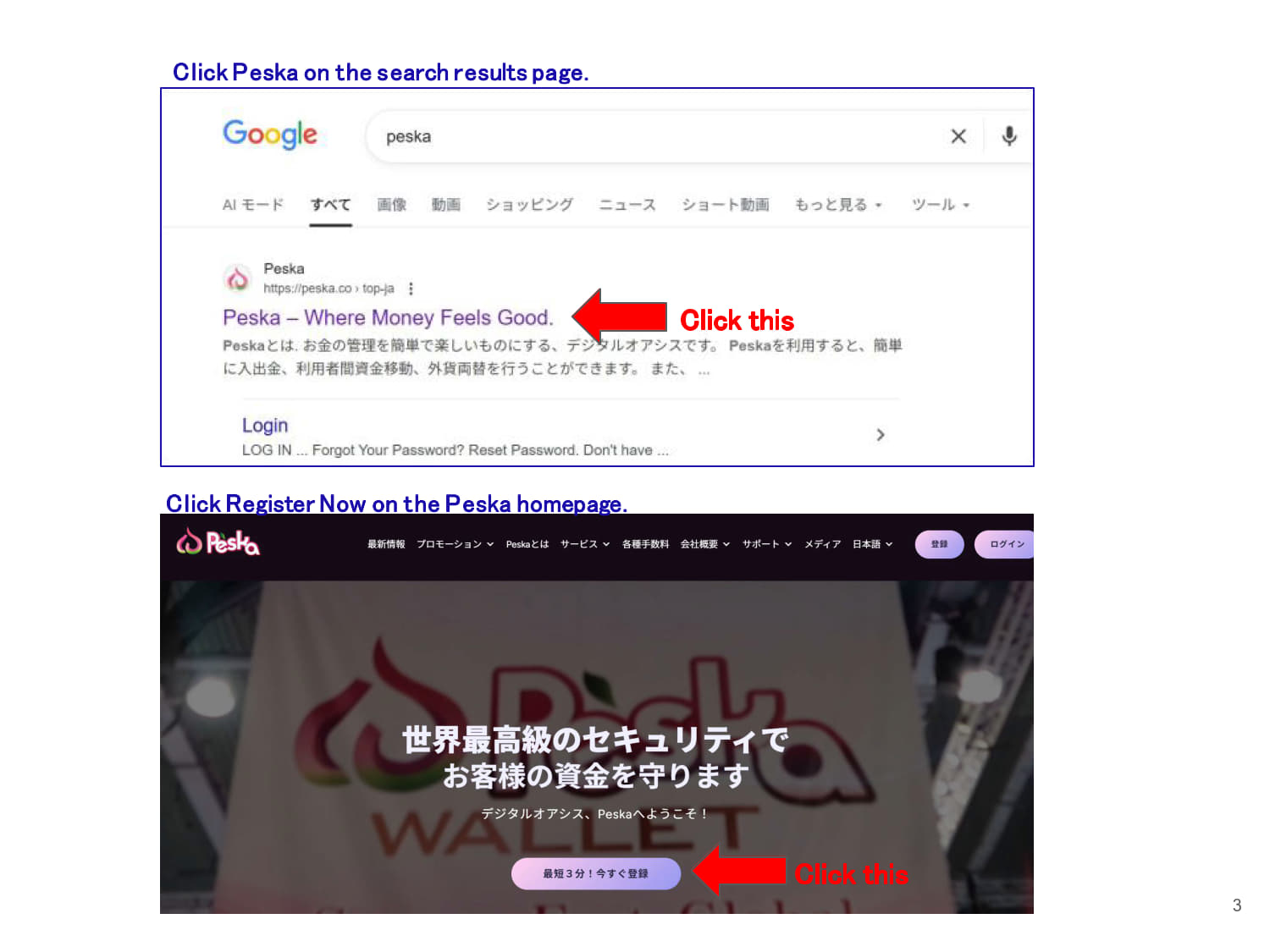
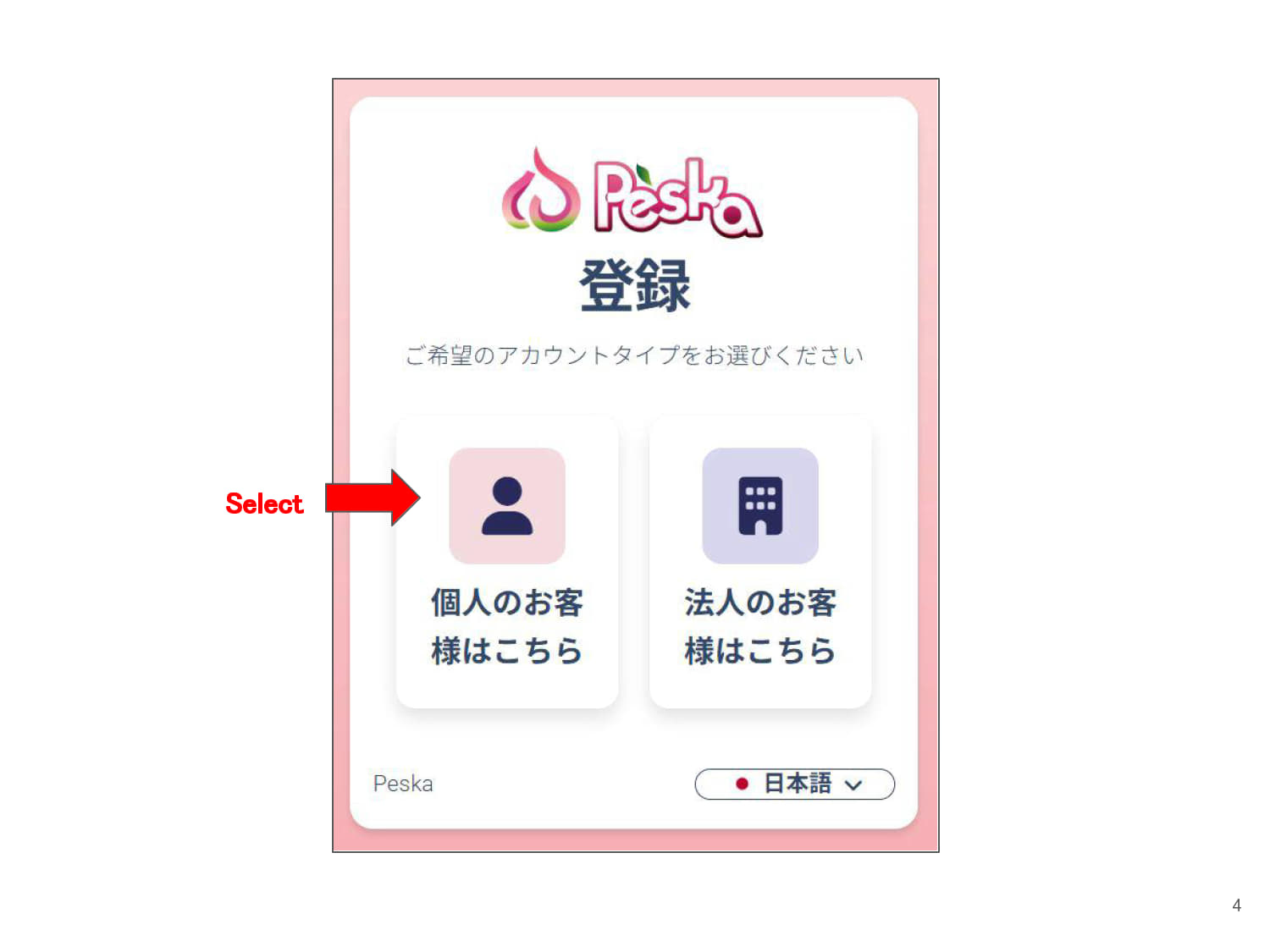
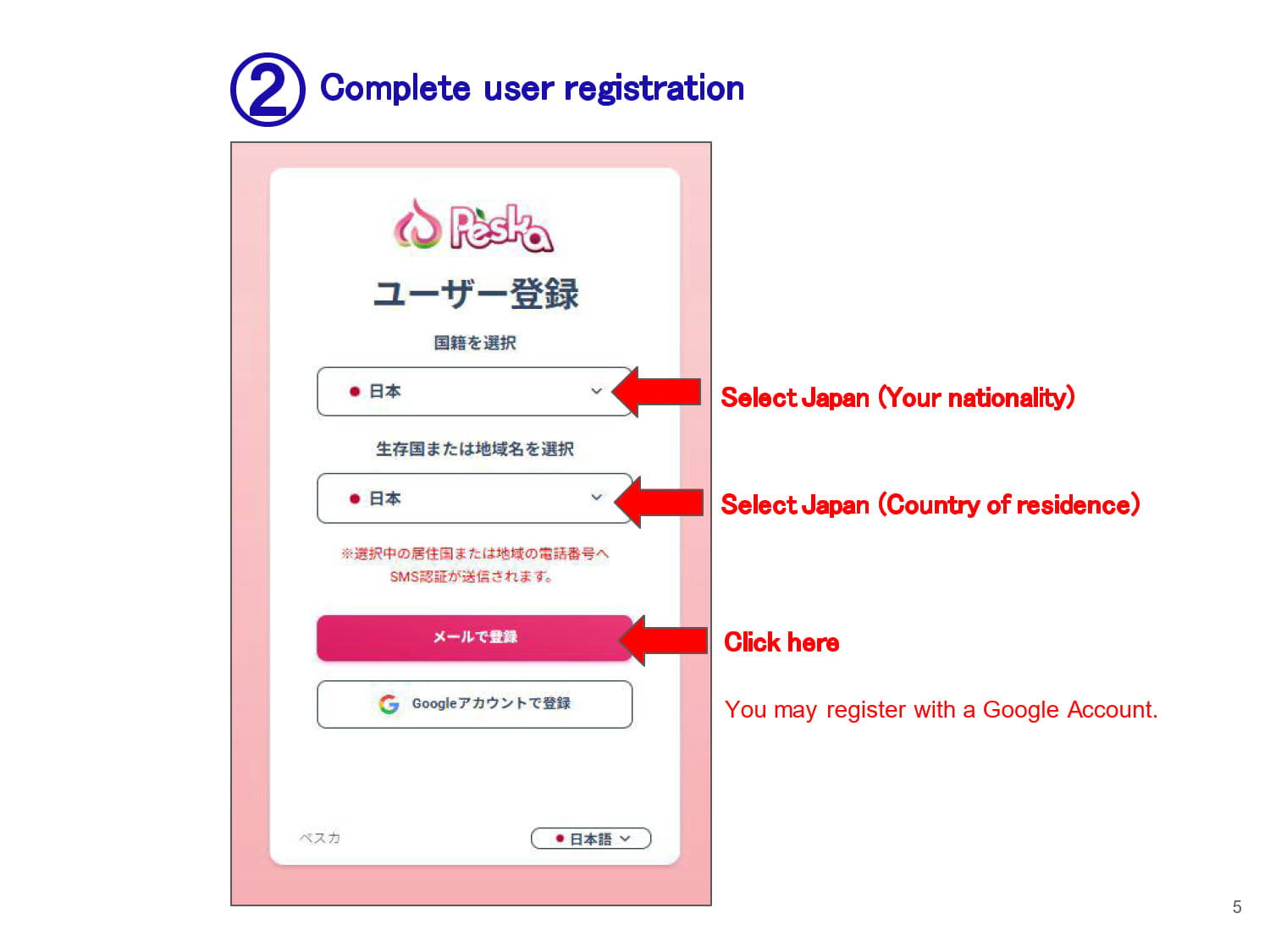
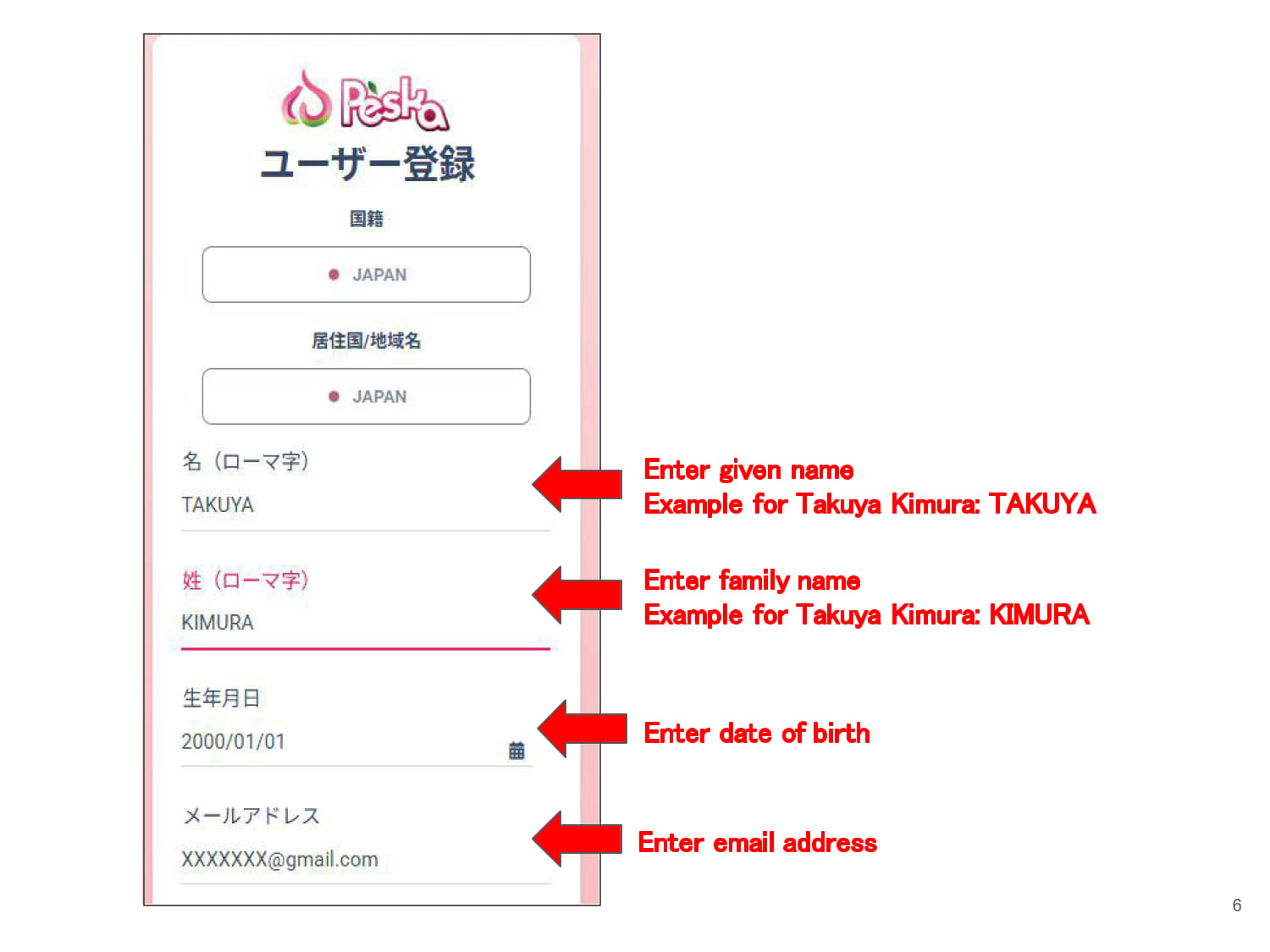
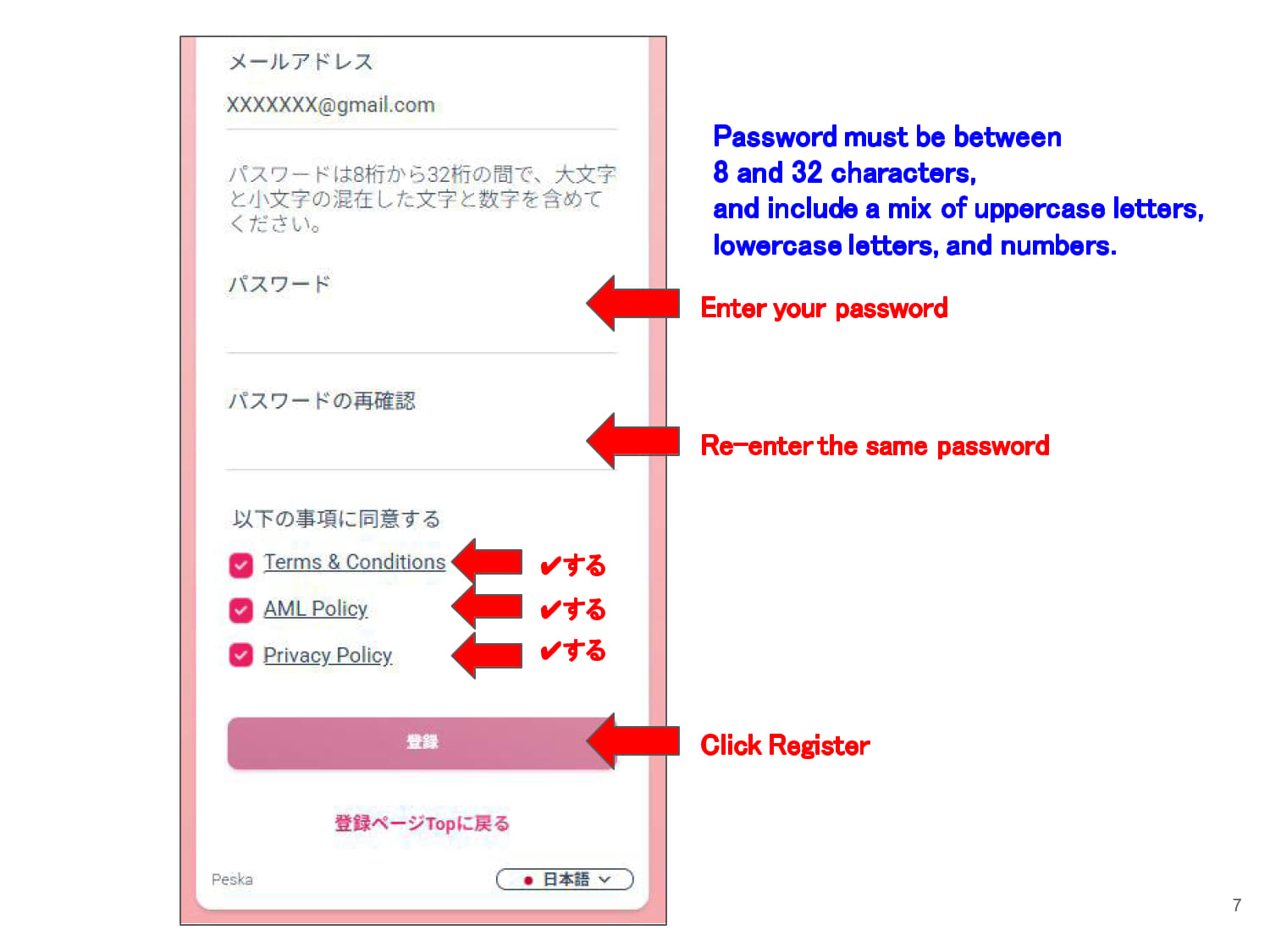
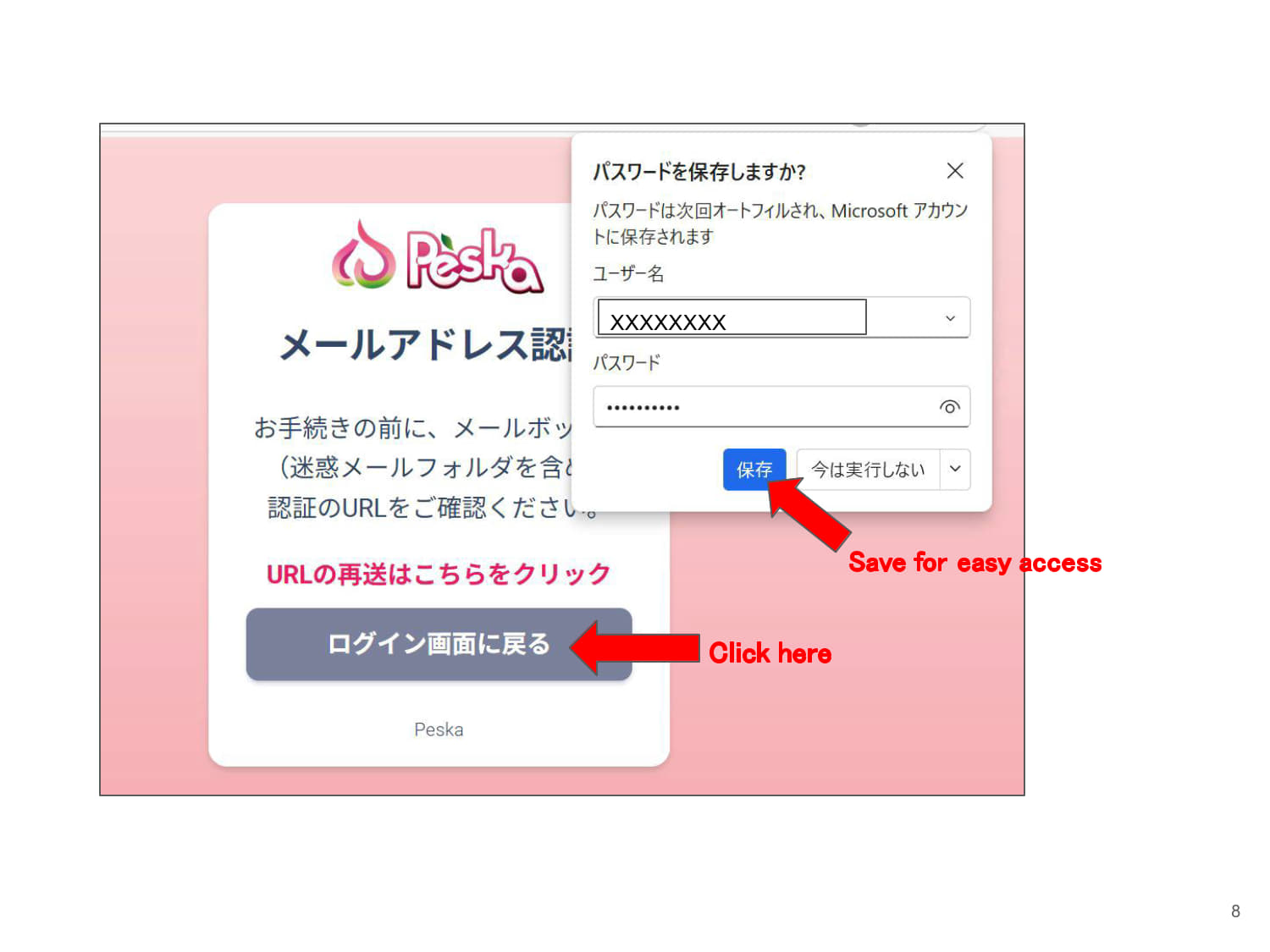
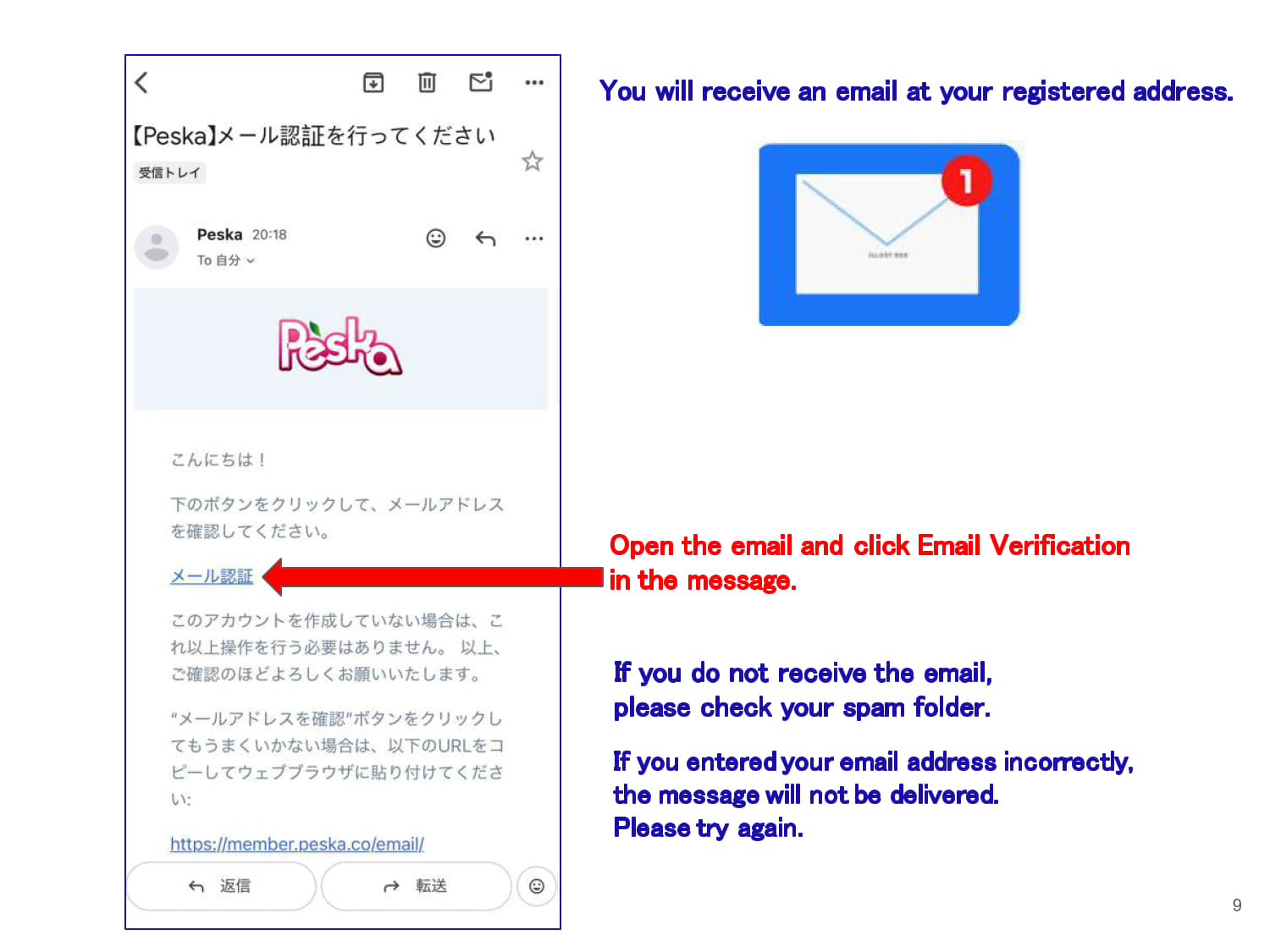
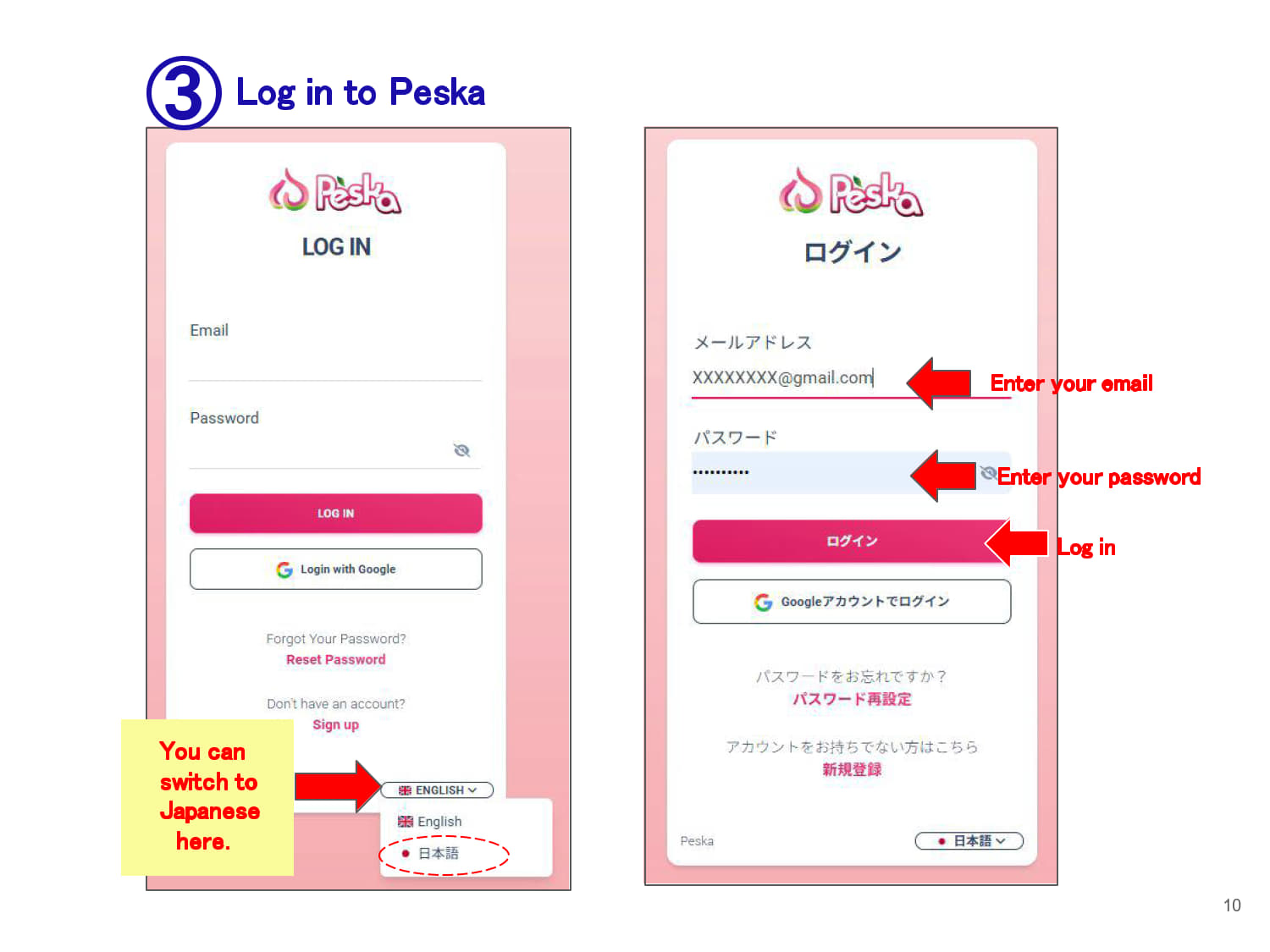
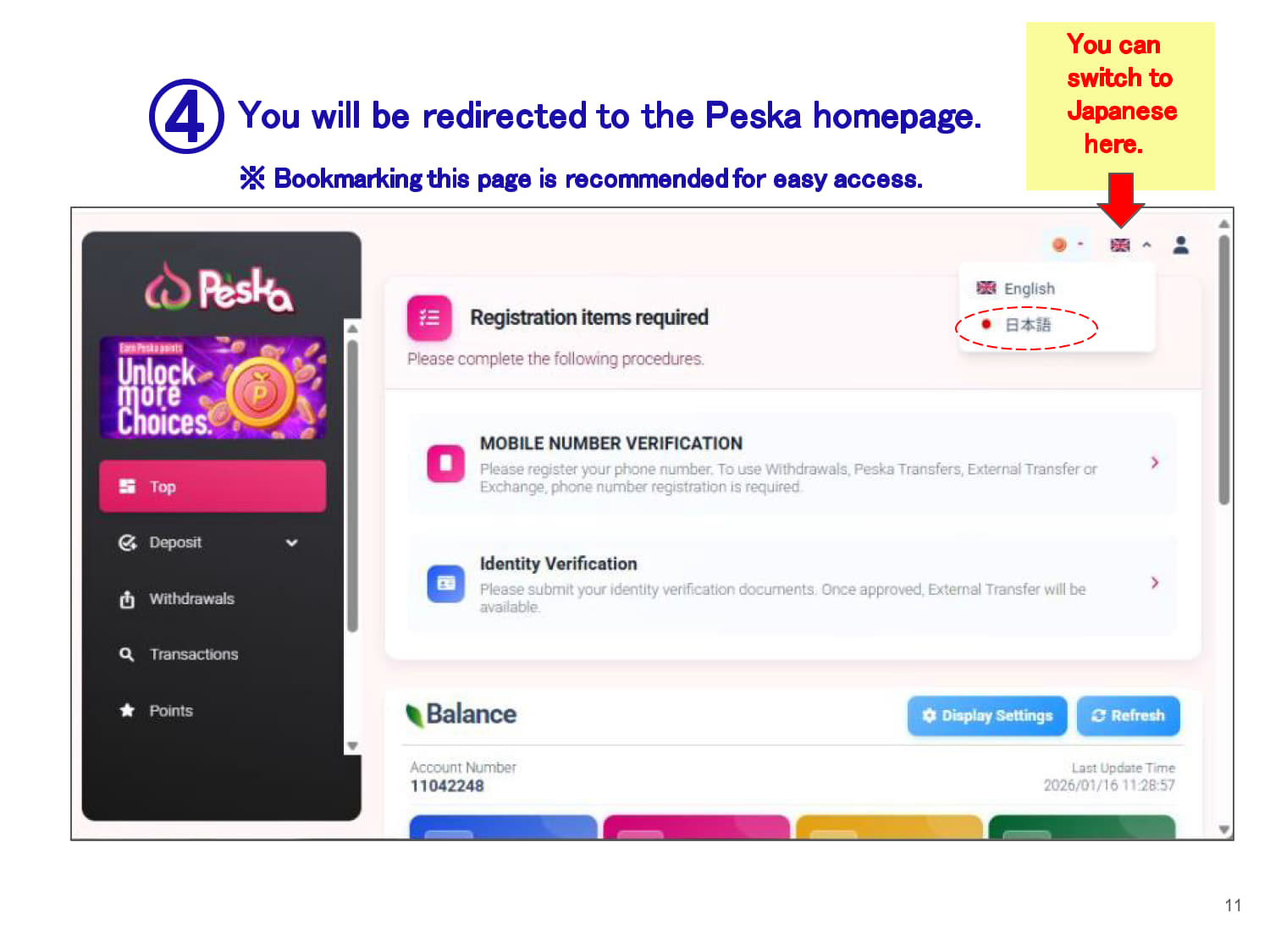
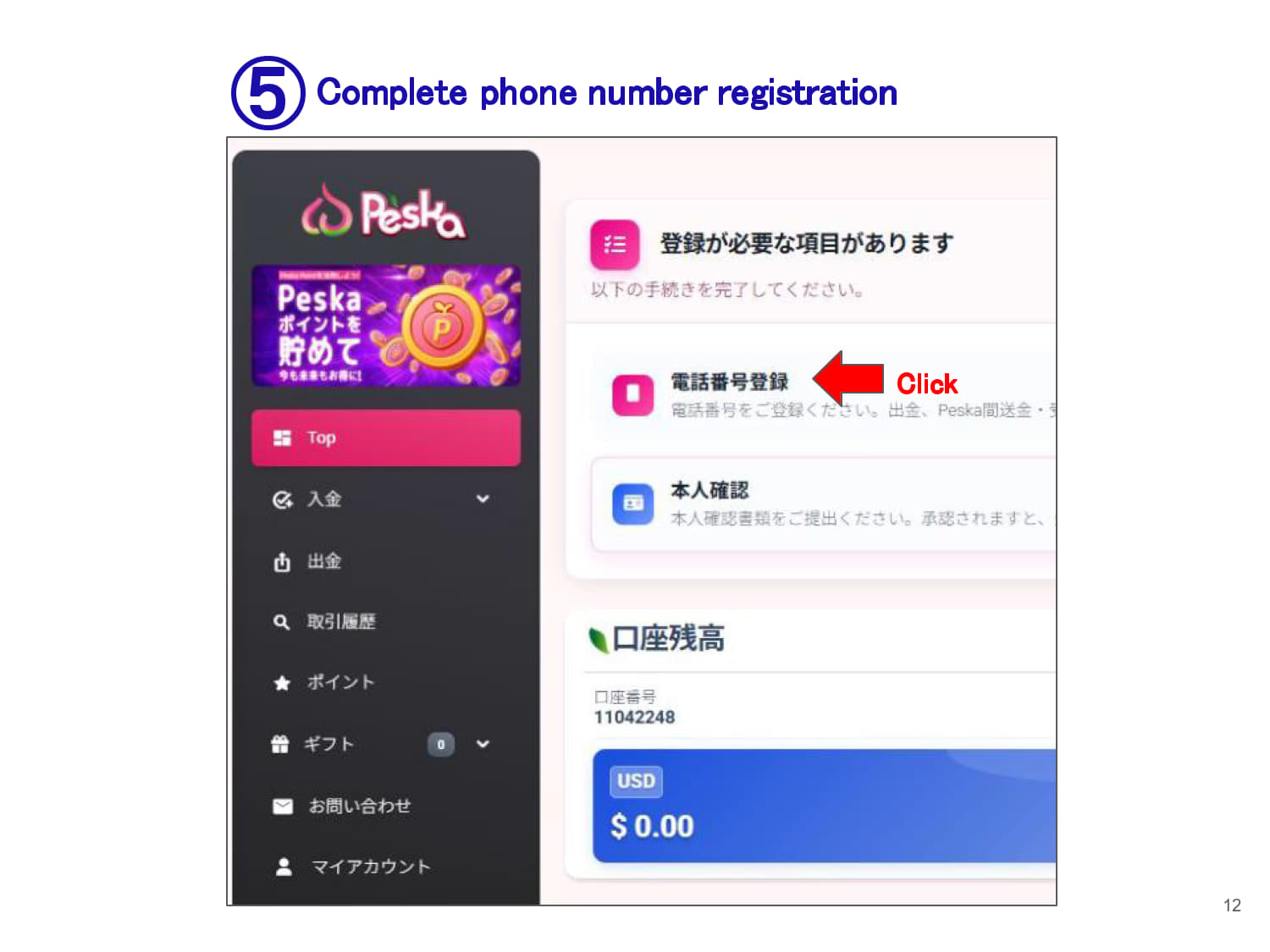
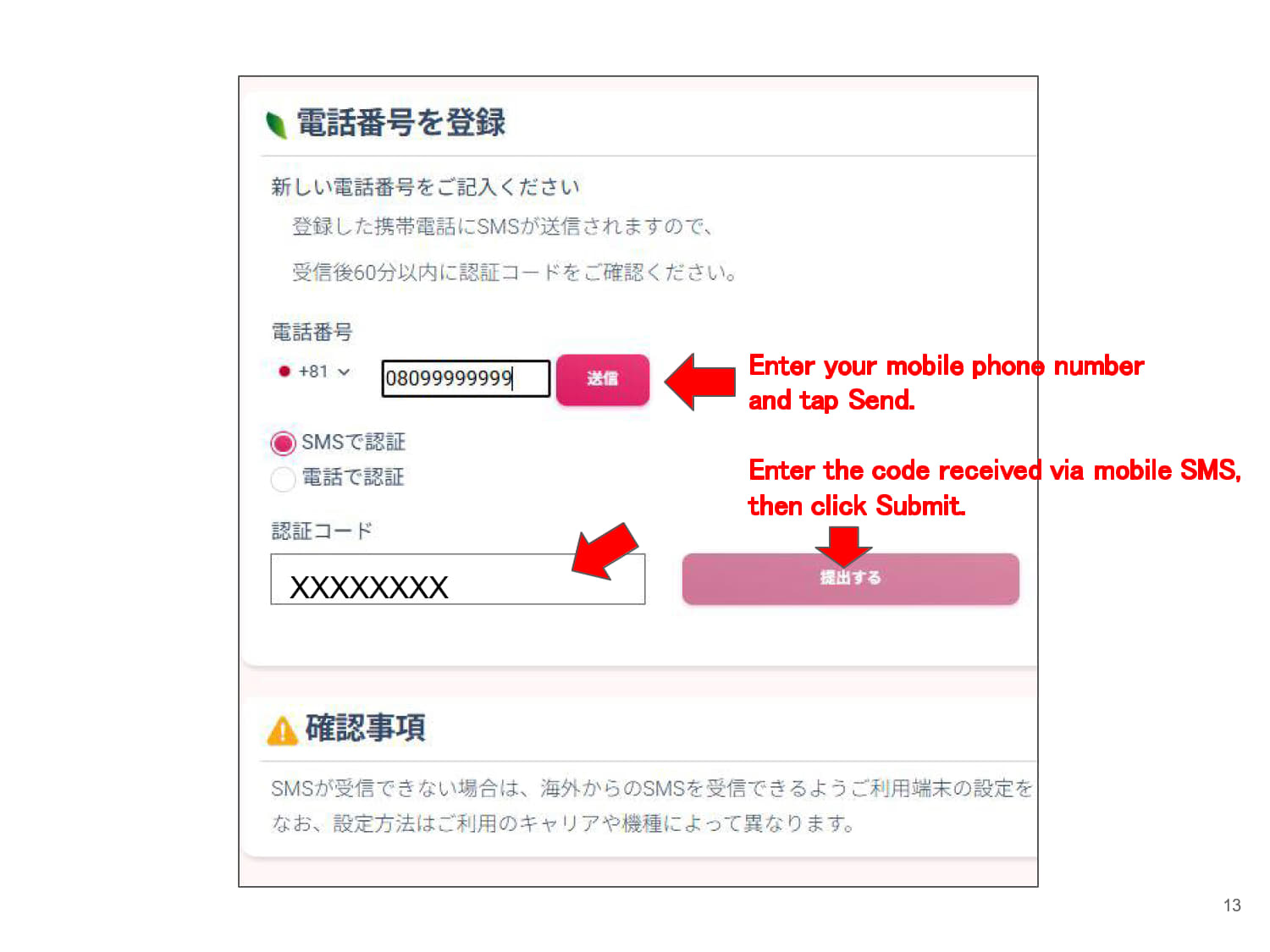
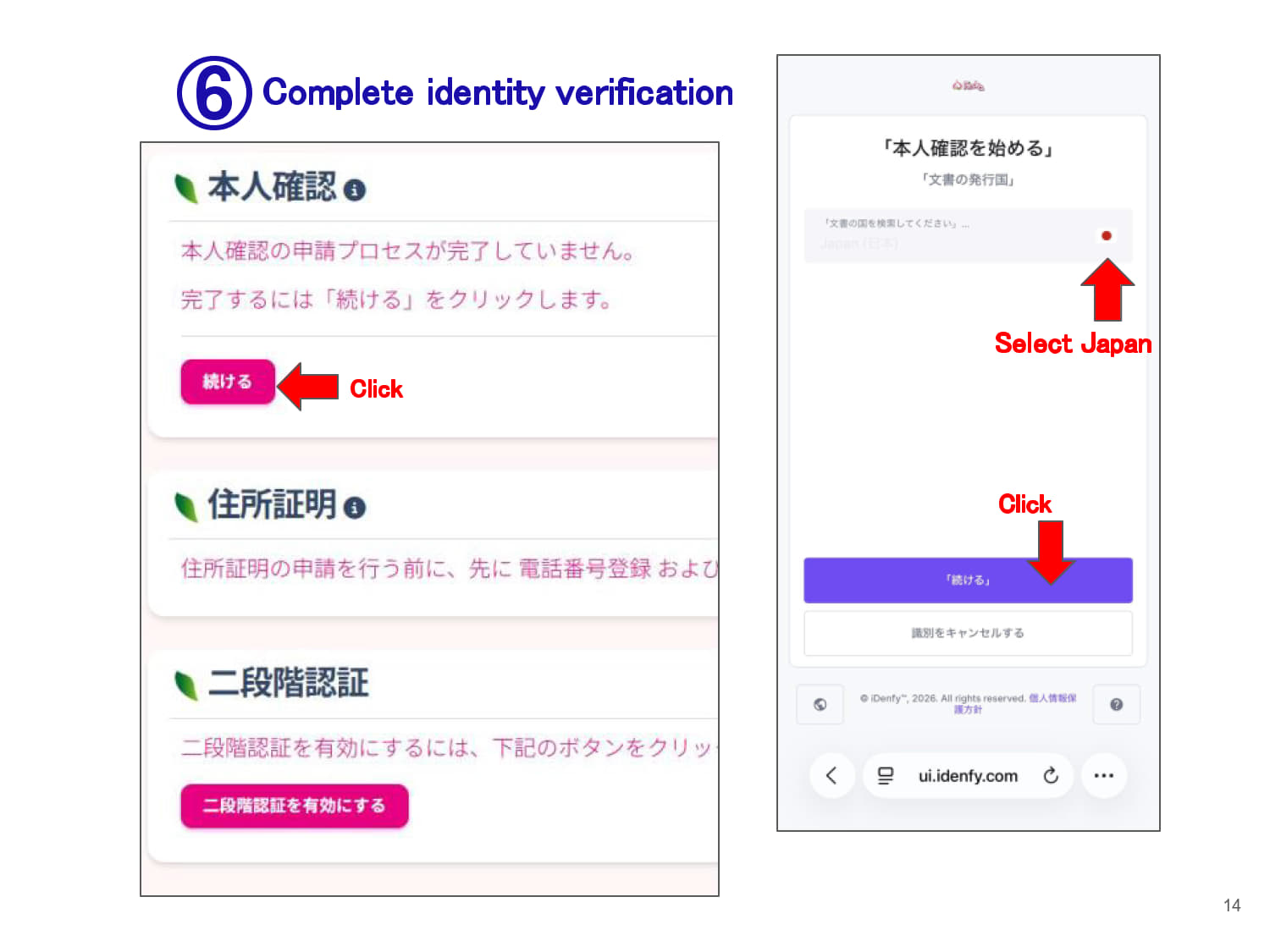
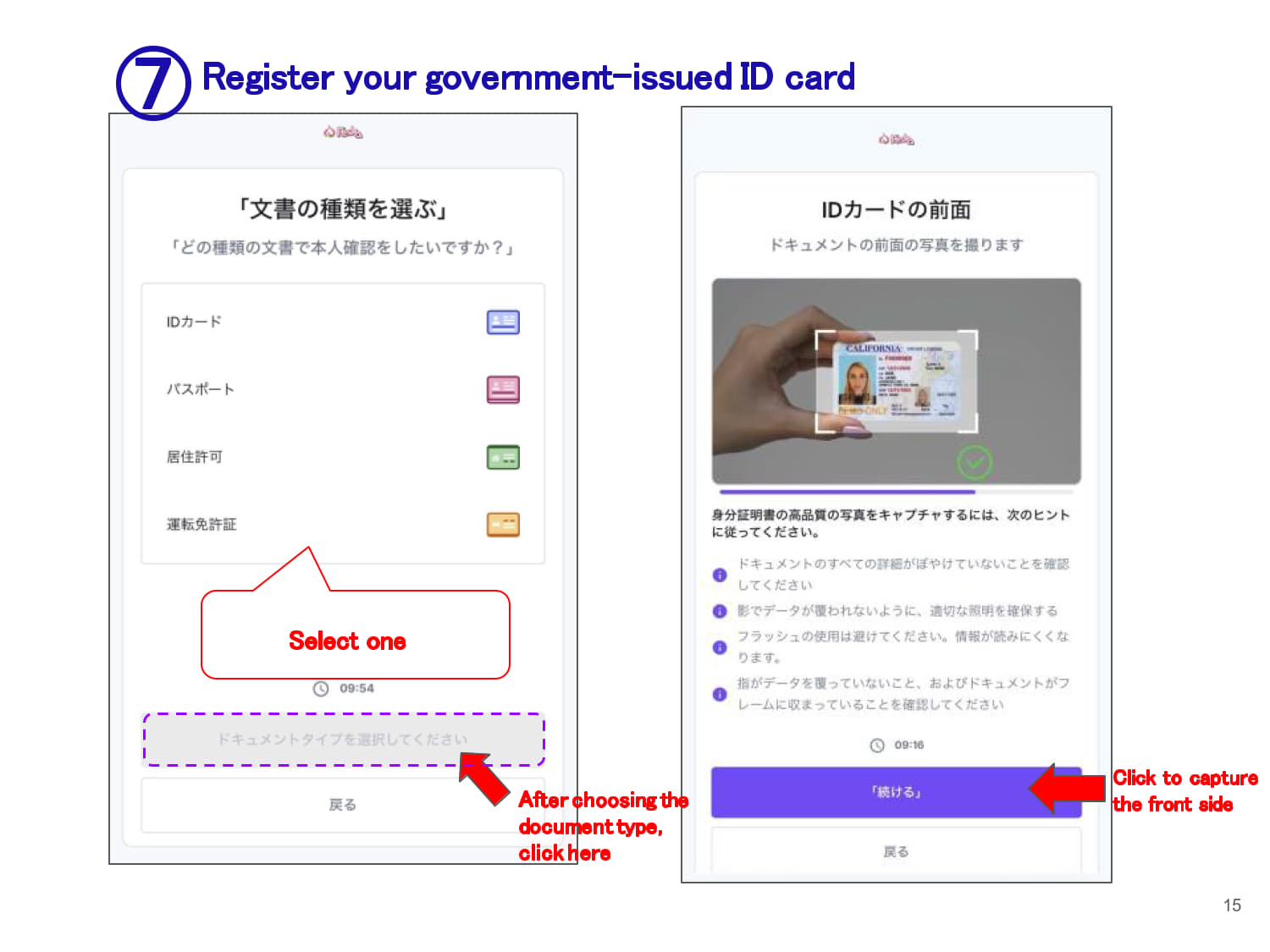
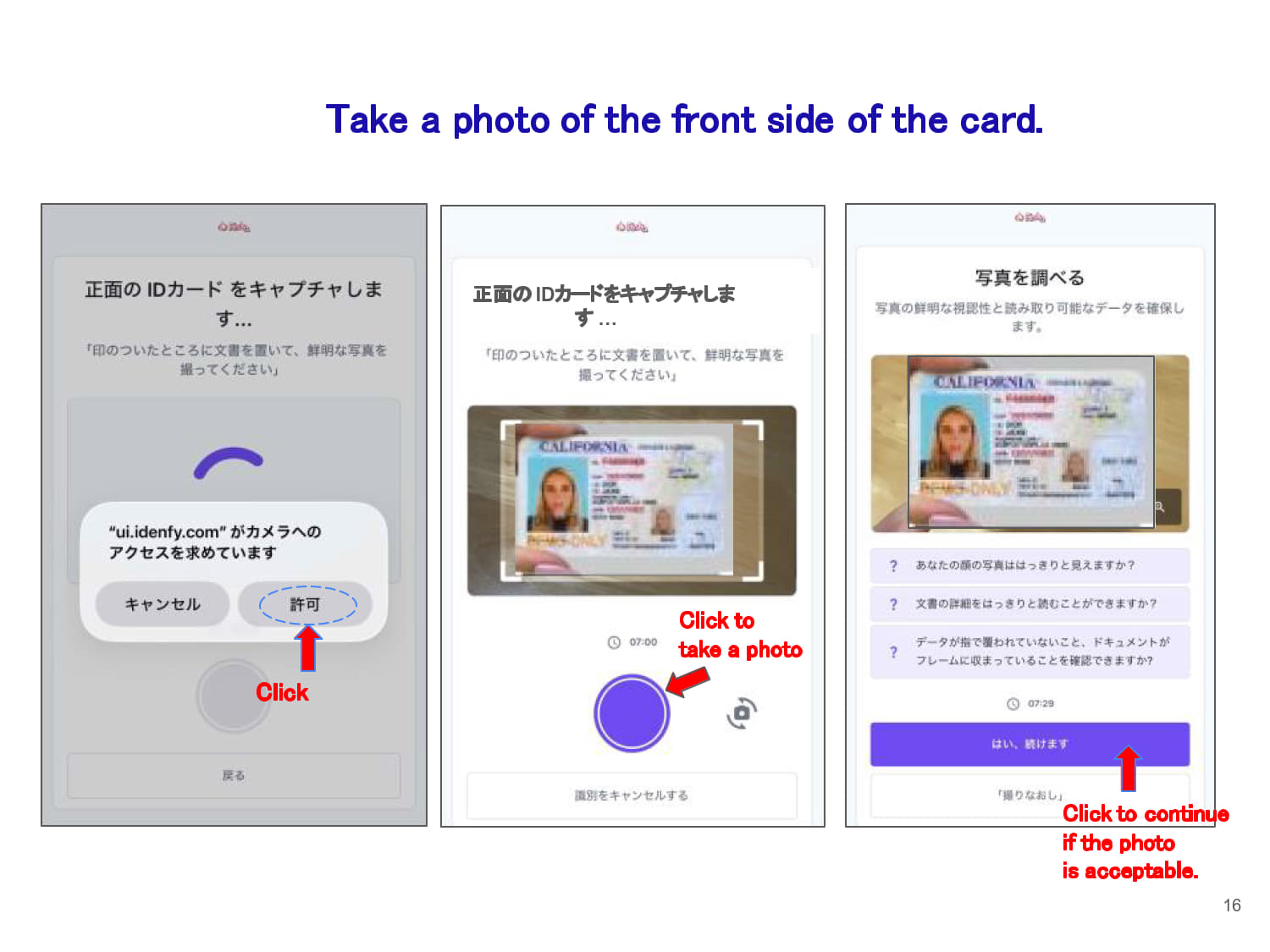
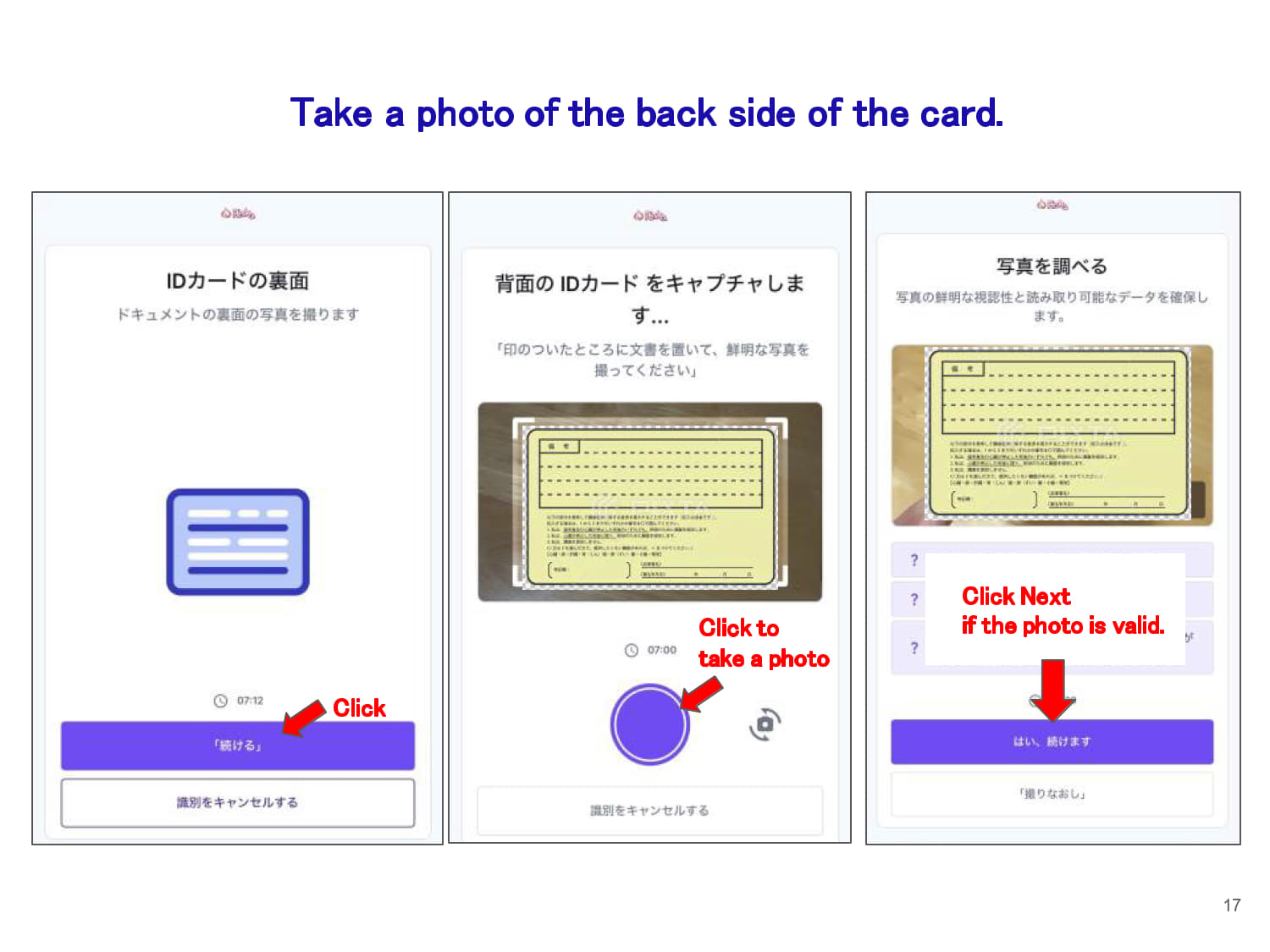
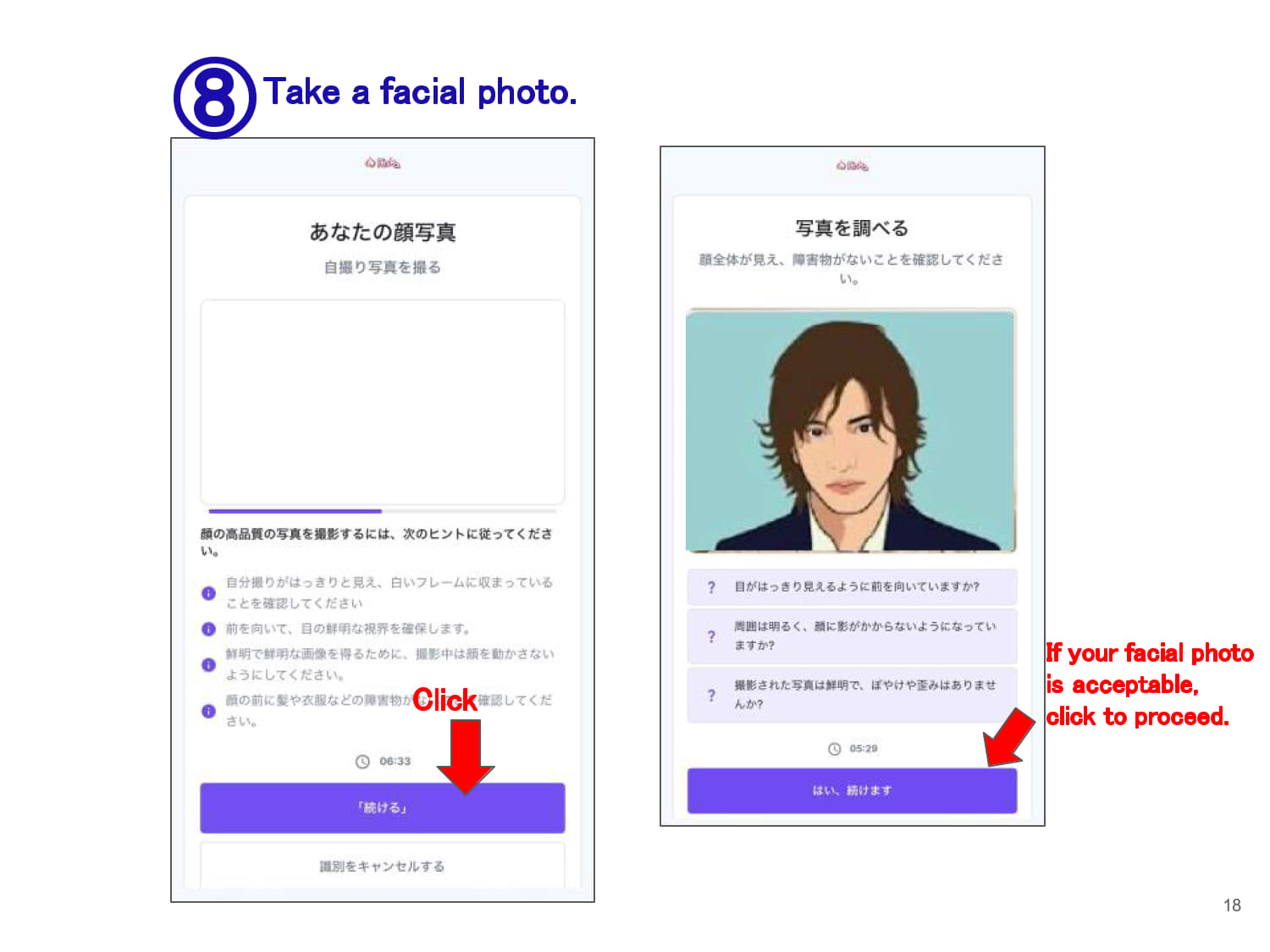
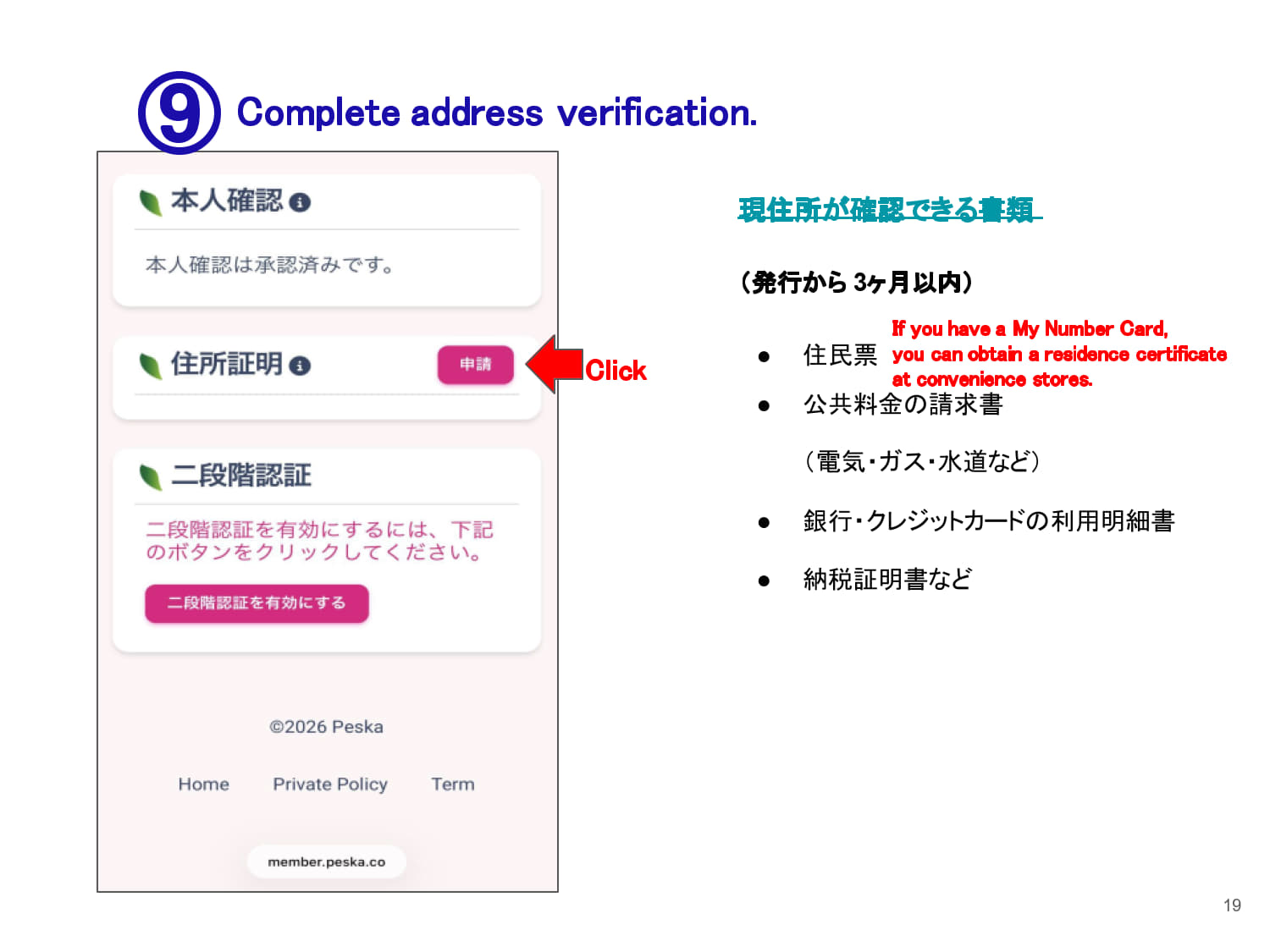
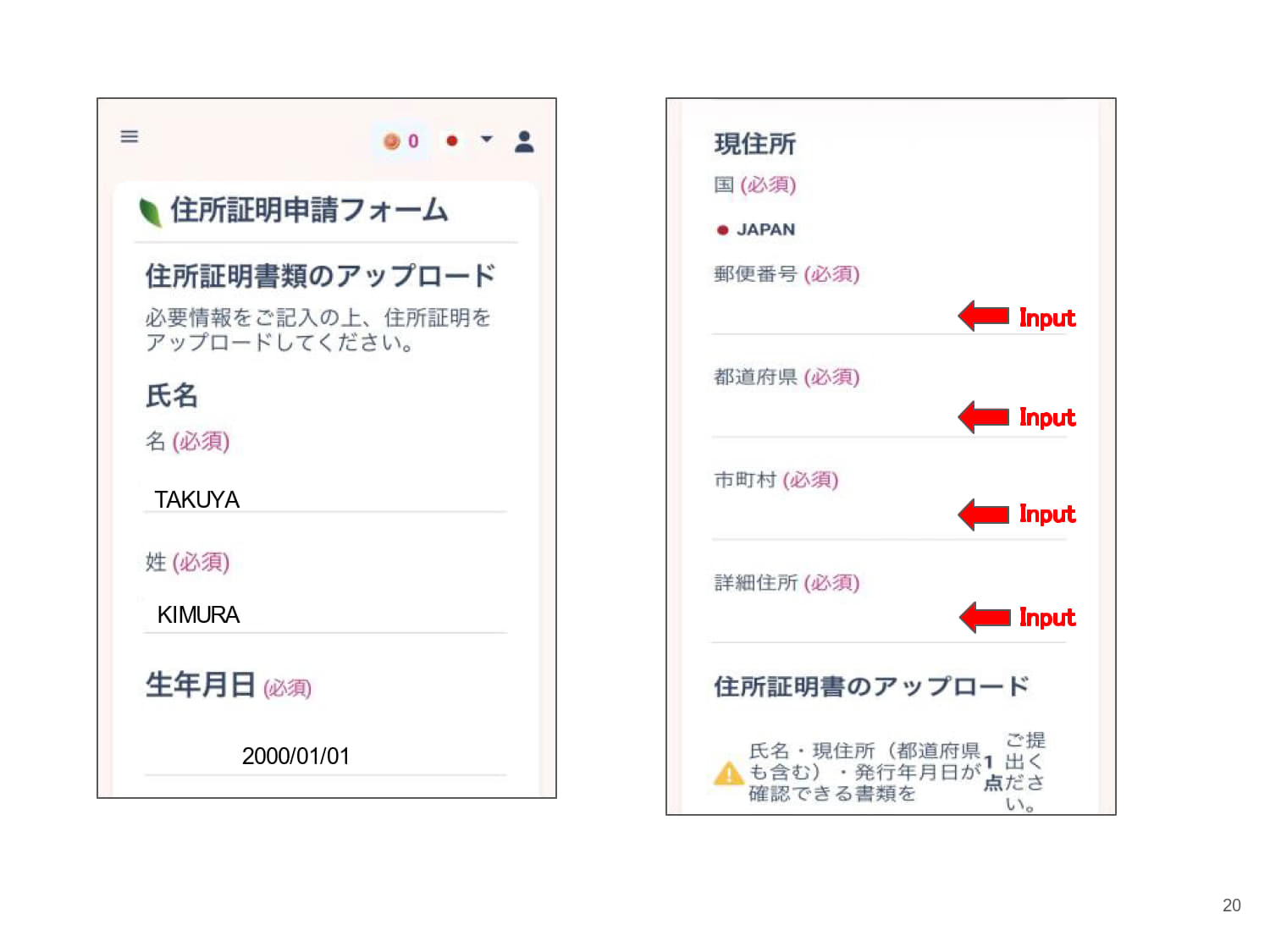
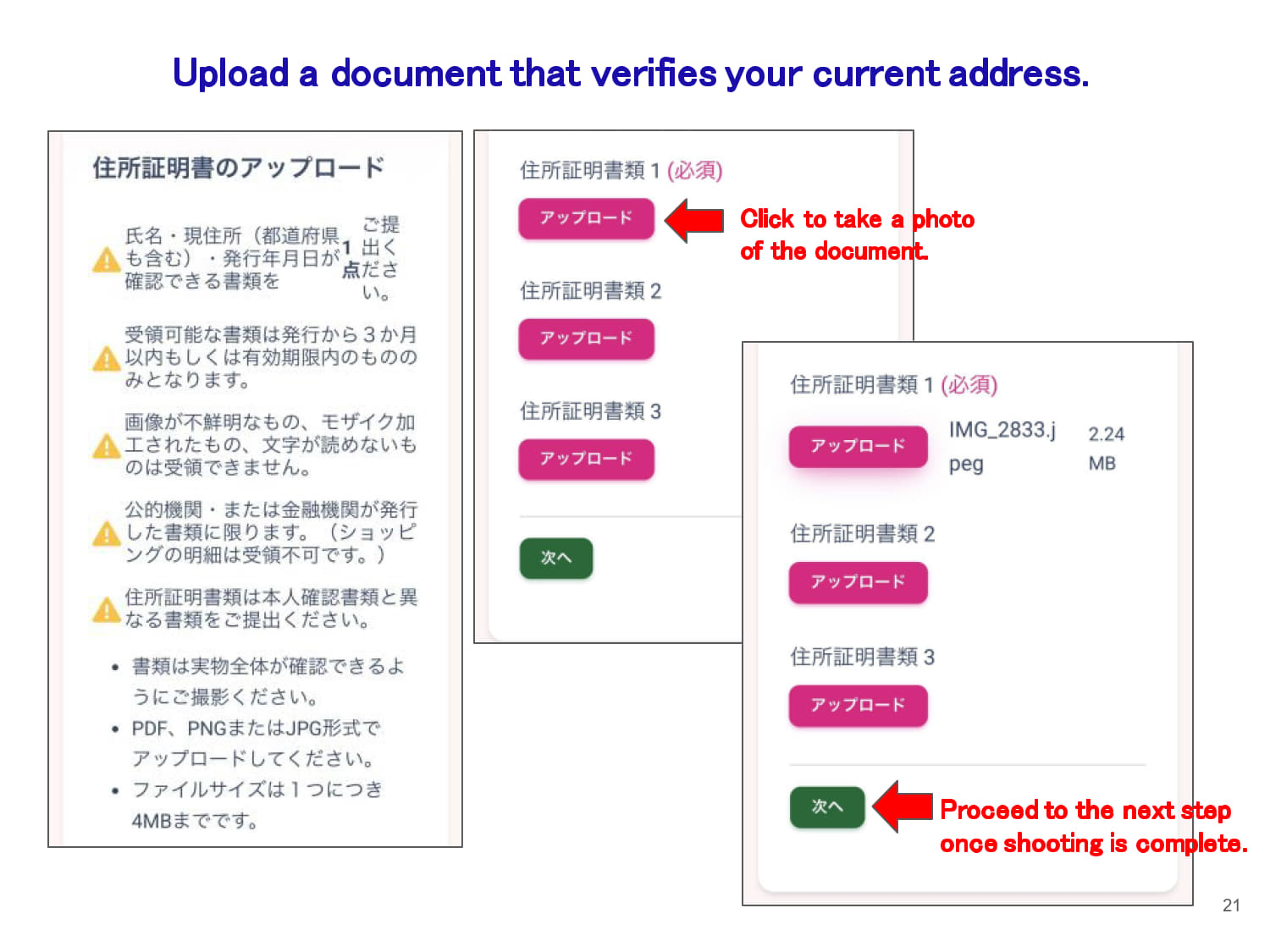
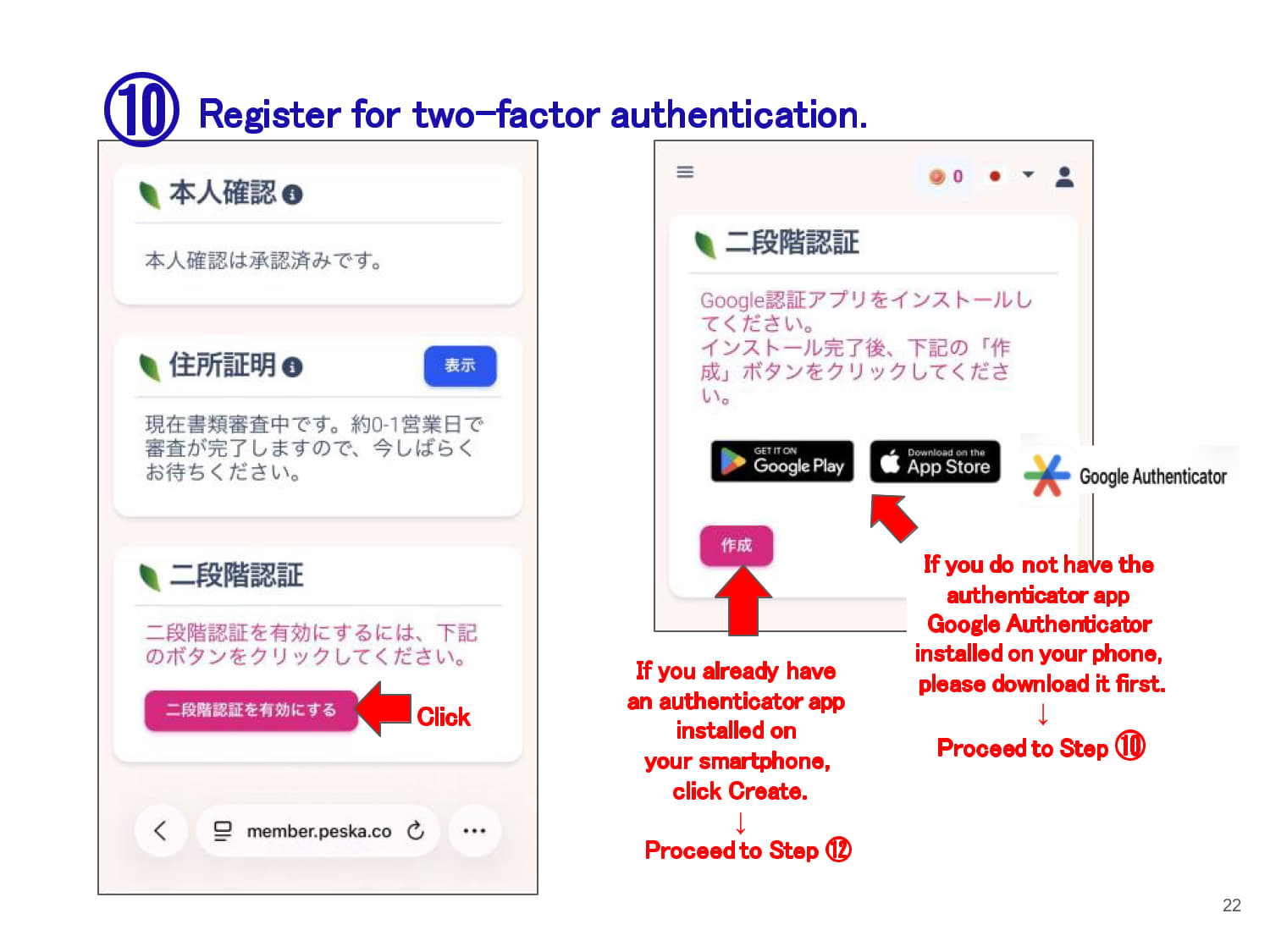
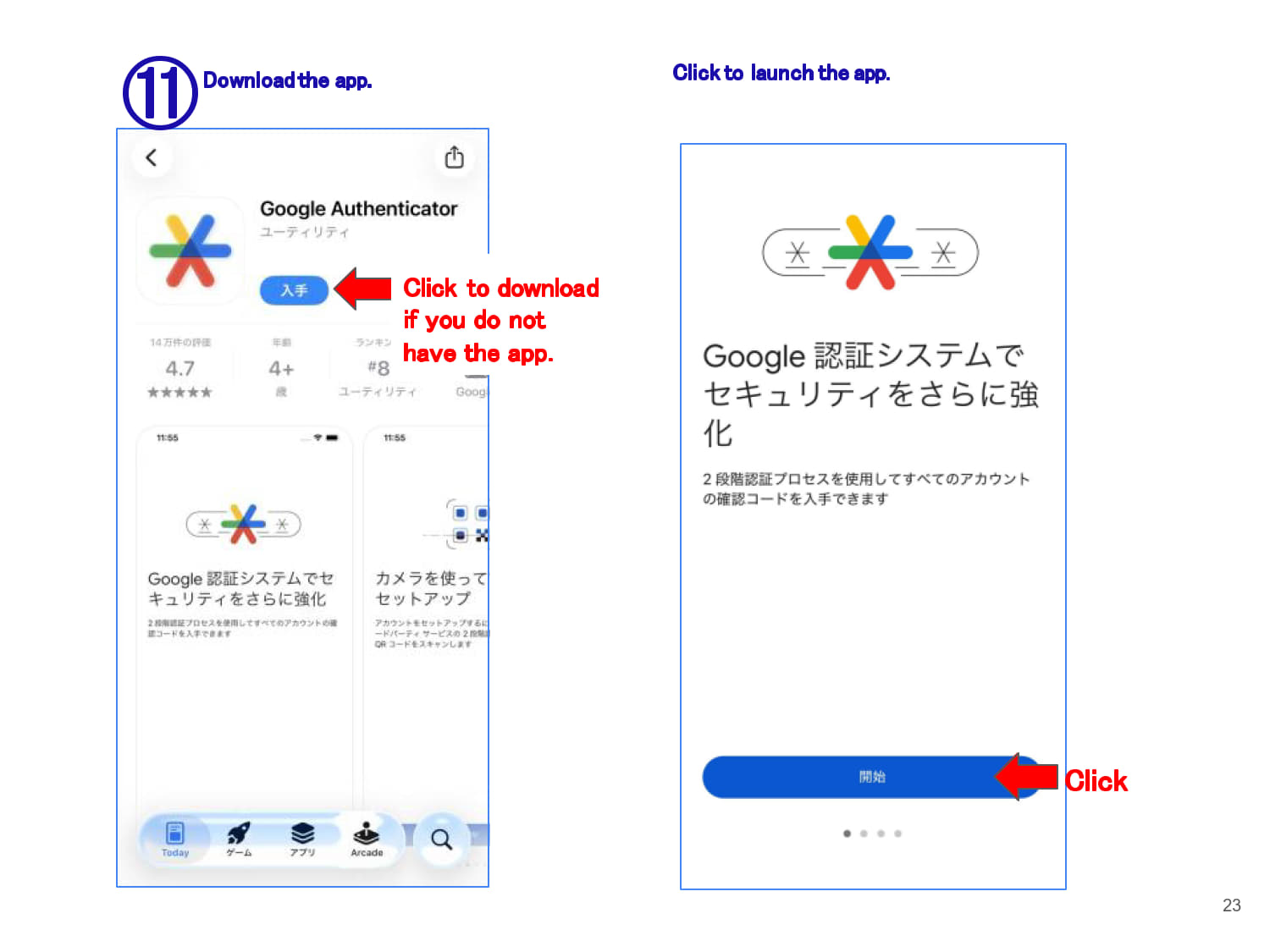
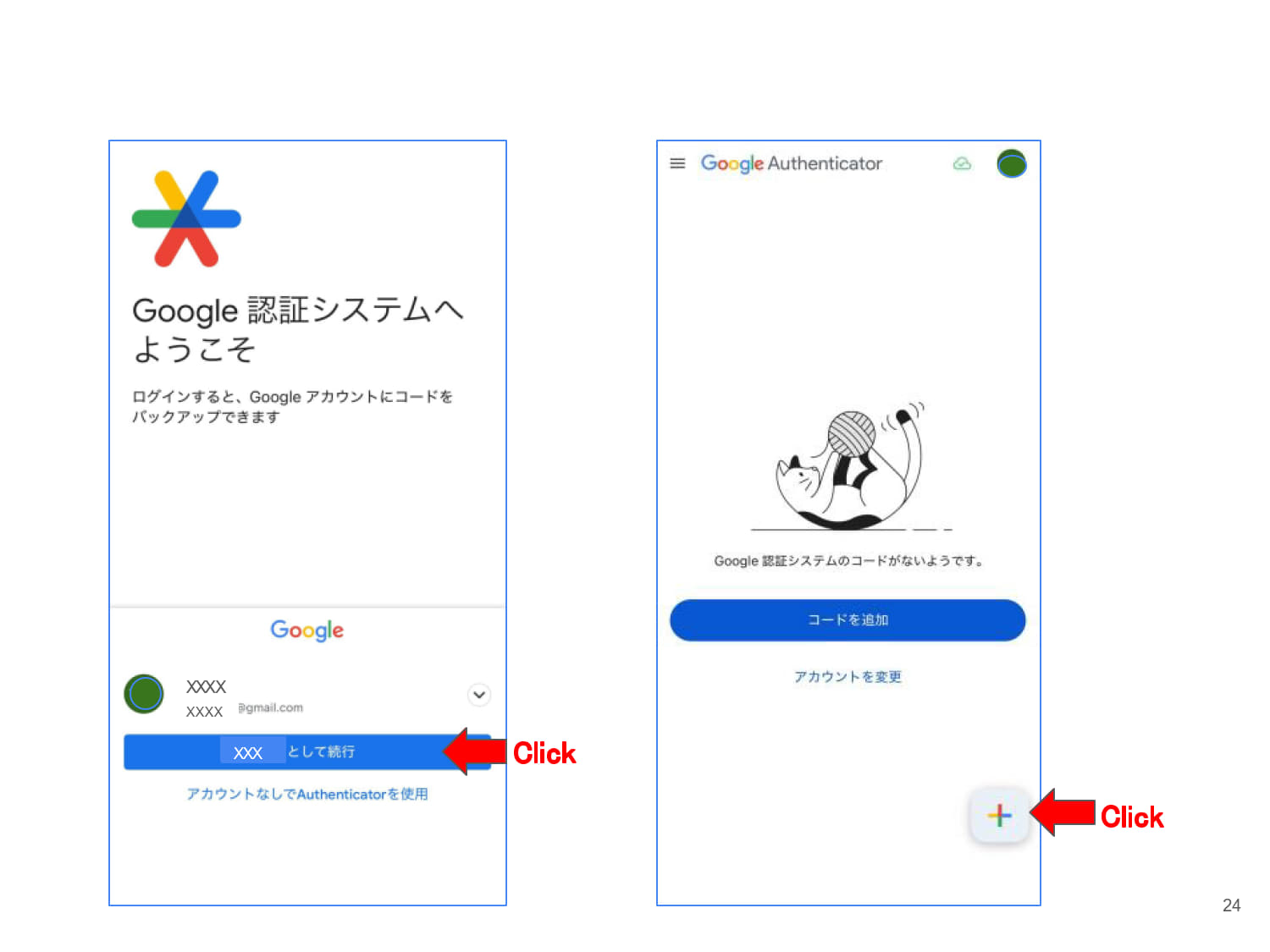
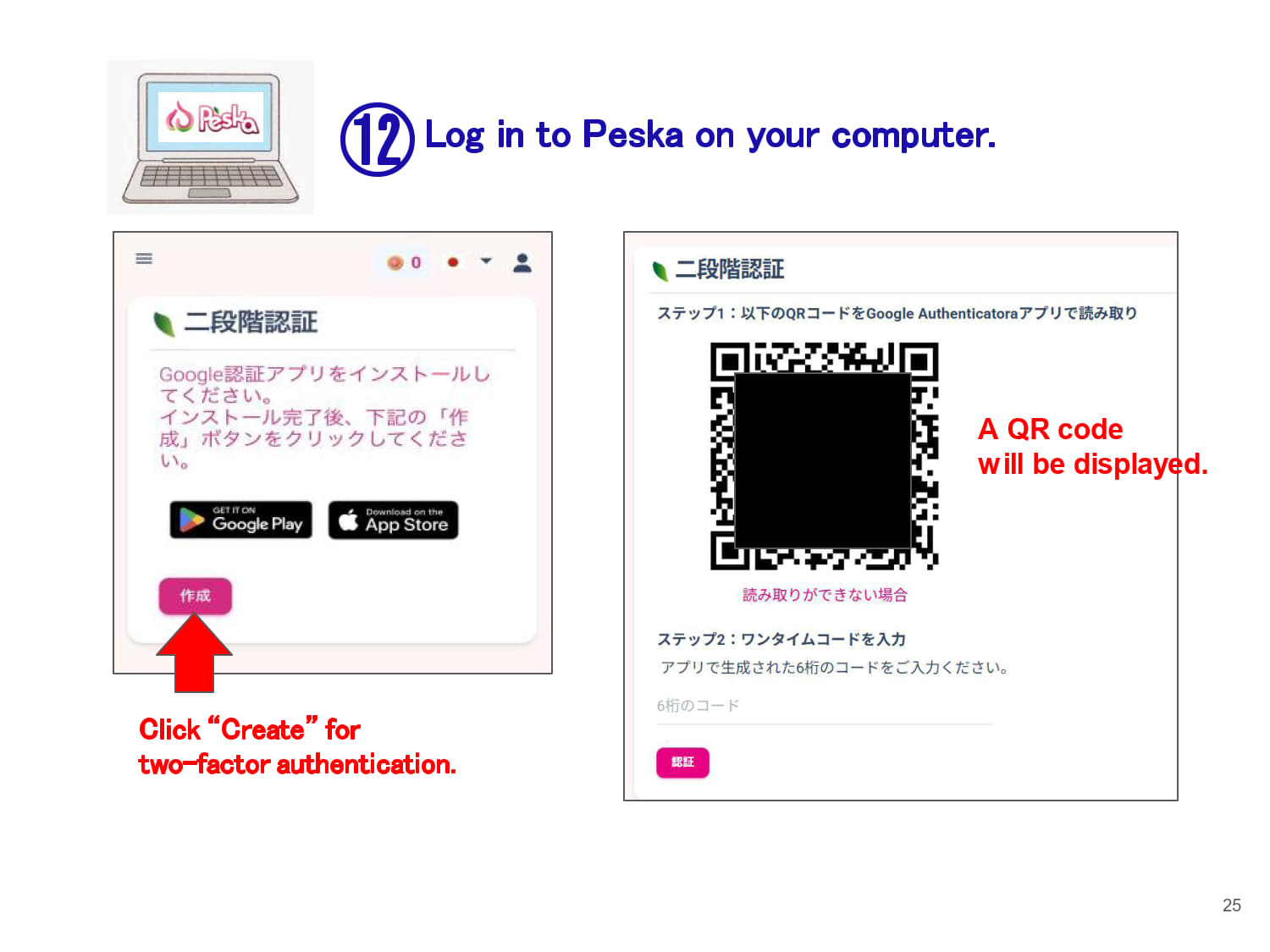
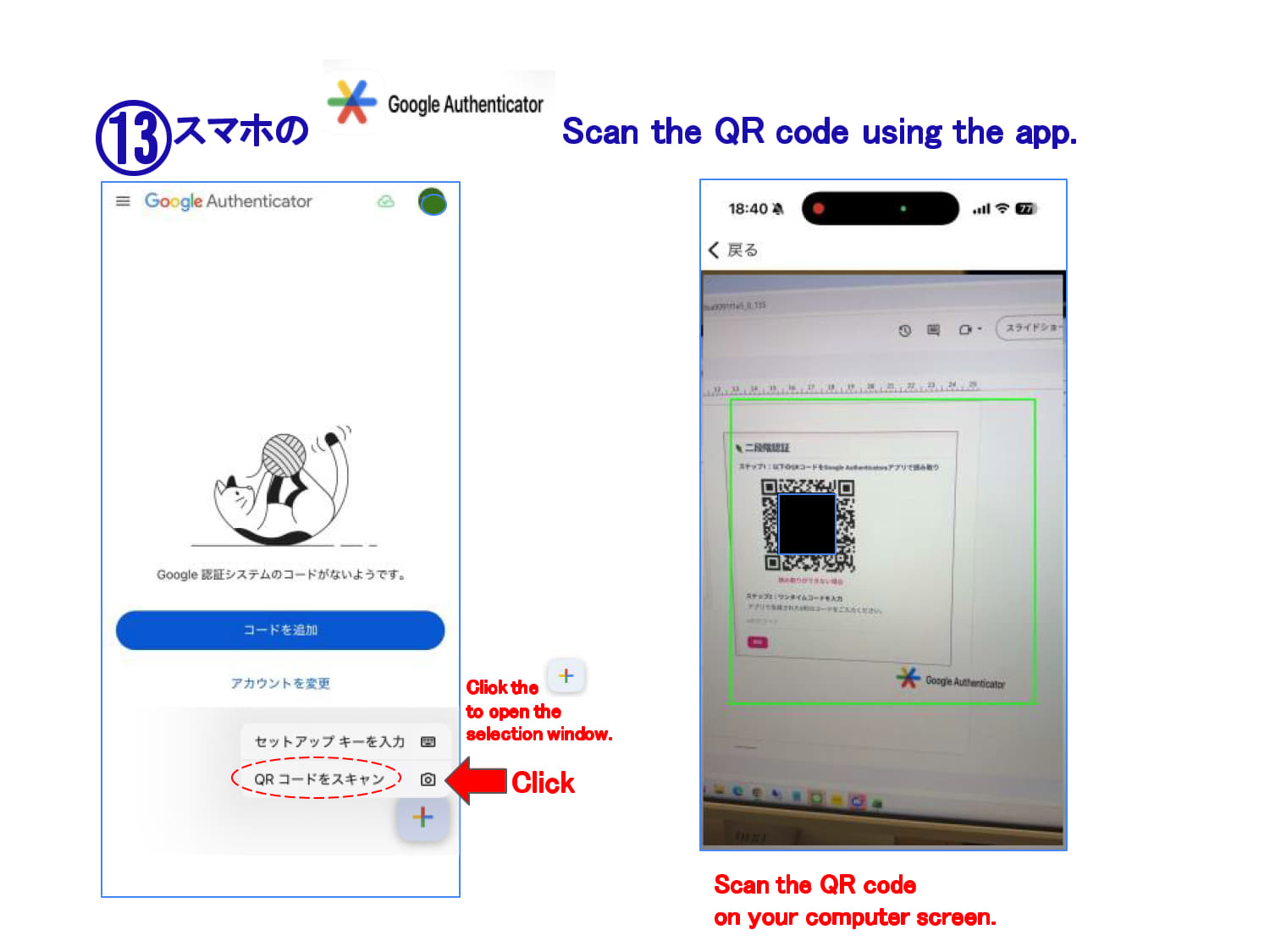
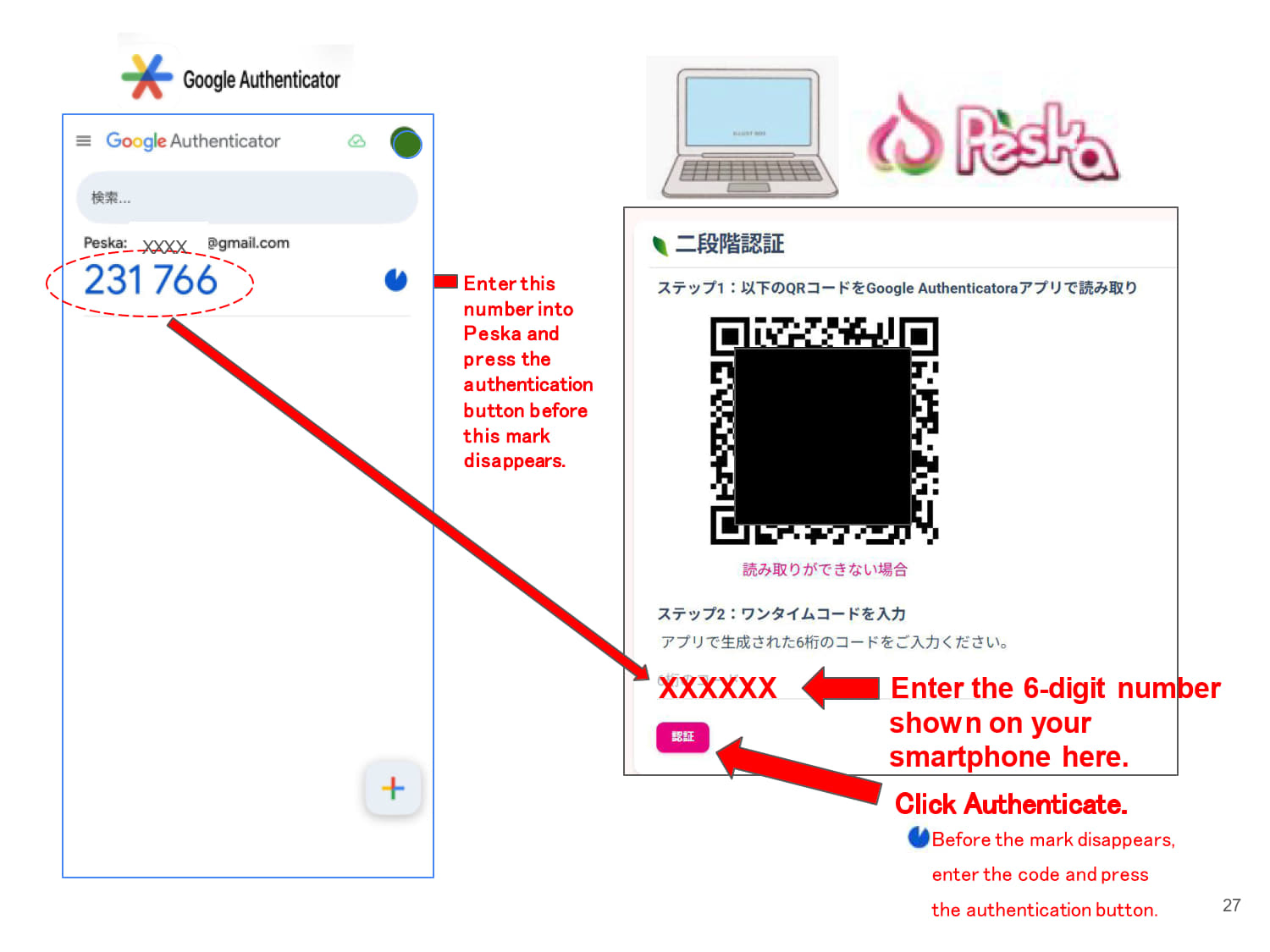
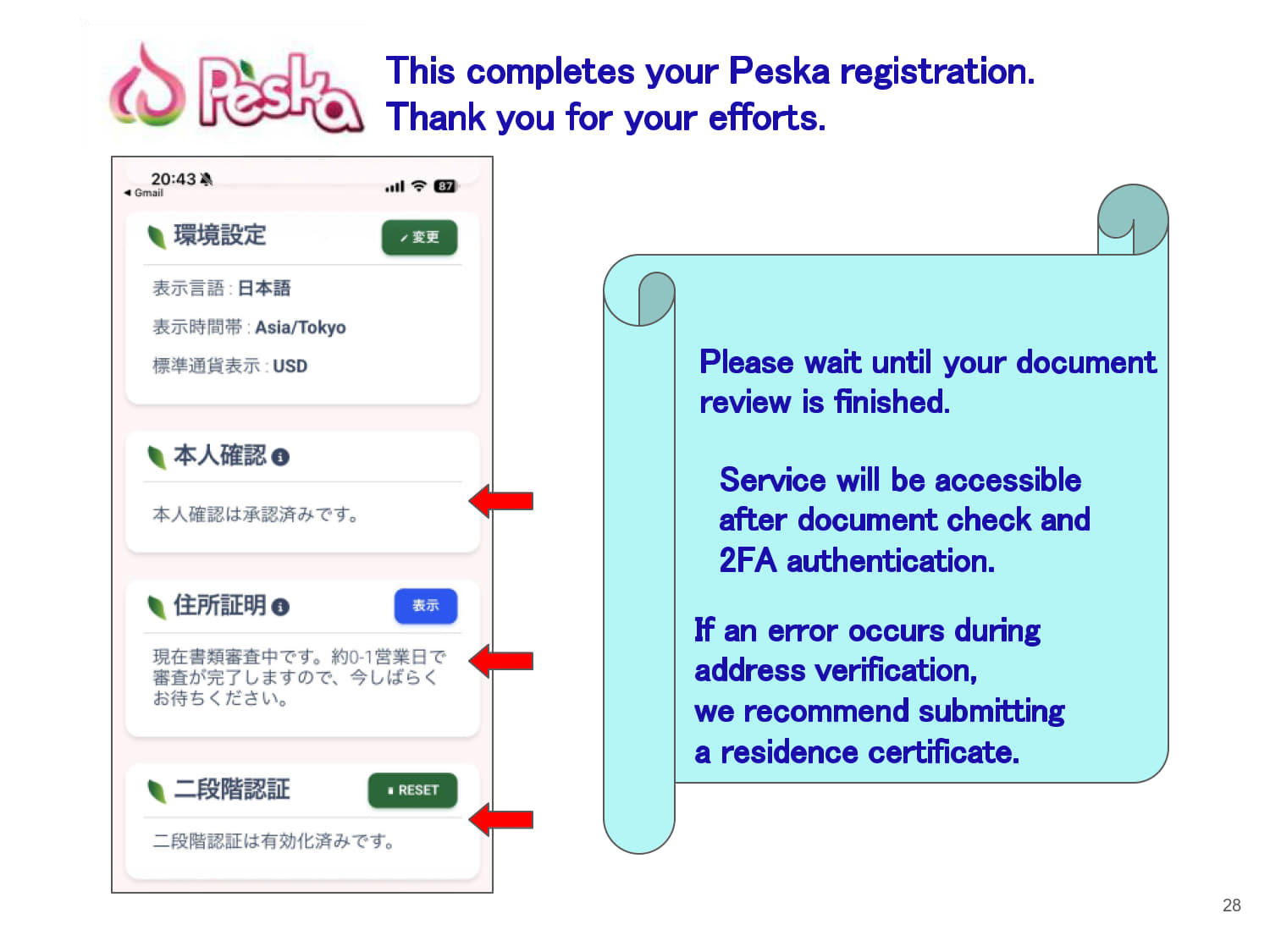
Please refer to the guide below.
Please check the details below.
| Explanation of EBC Demo Accounts | ||||||||||||||||
| This page publishes 【view-only login credentials】 for checking the operating status of each EA compatible with EBC. You may also view real-time performance and trading results via the global public platform 【myfxbook】 shown below.
【myfxbook】 is an official performance tracking platform released by brokerage firms for reviewing FX account trading results. It displays profit trends, balance changes, drawdowns, trading history and more, and we use it to demonstrate full transparency of our EA trading performance to users. | ||||||||||||||||
| For New StableTrader Version: PRO Account (MT5) | ||||||||||||||||
StableTrader recommends using PRO accounts for live trading, as backtest results on PRO accounts have proven excellent.
| ||||||||||||||||
| For New StableTrader Version: STD Account (For Comparison) | ||||||||||||||||
| ||||||||||||||||
| For Bonus EA EURUSD & AUDCAD New Version (MT5) | ||||||||||||||||
The Bonus EA EURUSD & AUDCAD is recommended to run on STD accounts.
| ||||||||||||||||
| For New StableTrader Version: Recommended STD Account | ||||||||||||||||
| ||||||||||||||||